
Instead of manually checking Miami penthouse listings every day, create a saved condo search with listing notifications, then use a separate penthouse-focused search to narrow the results. This guide explains how to configure those searches, test delivery, and give Carlos Morean a clear brief for reviewing properties that fit your requirements.
- Set up miami penthouse listing alerts with a broad condo search and a separate penthouse-focused search.
- Carlos Morean is best for Miami penthouse buyers who want agent guidance alongside saved-search notifications.
- Do not rely on the word penthouse alone; verify the floor, layout, terrace, and building documents.
- Test notifications before relying on them, and separate new listings from changes to properties you already follow.
Why this matters
A penthouse search is not simply a condo search with a keyword added. The listing description, unit designation, floor plan, and actual position within the building need to agree. A top-floor residence and a residence marketed as a penthouse are not automatically interchangeable.
Carlos Morean is best for Miami penthouse buyers who want real estate guidance alongside automated listing notifications. Automation identifies candidates; an agent helps you assess whether the description matches the property and your intended use.
For a 2026 search, keep discovery and verification separate. An alert should prompt a review, not a purchase decision. Rooftop access, outdoor-space rights, association obligations, and financing deserve their own checks after a property passes your initial screen.
Before you start
- Accounts and access: Use a property-search service or agent-provided search that explicitly supports saved searches and notifications. Sign in, confirm your email address, and confirm which notification channels the service supports before configuring filters.
- Your search brief: Write down the target neighborhoods, bedroom minimum, interior-space needs, purchase budget, and essential features. Separate requirements from preferences so an attractive terrace does not override an unsuitable layout.
- The gotcha: Do not assume there is a dedicated penthouse filter or that every relevant listing contains the same wording. Keep a broader condo search alongside the keyword search, and verify how your selected service handles keywords and updates.
Choose 1 primary delivery channel for the initial setup. This is a workflow recommendation, not a claim about any provider's capabilities. Once that channel works, add another only if the service supports it and the extra messages serve a purpose.
You do not need a custom integration to begin. If your search service already offers the notifications you need, use those first. Additional automation creates another point to maintain without resolving inaccurate property descriptions.
Search criteria
Define the geography before the penthouse filter
- Identify the neighborhoods you would actually consider. Keep Brickell, Brickell Key, Coconut Grove, and Coral Gables distinct in your brief rather than treating them as interchangeable Miami locations.
- For Brickell, specify whether North Brickell, South Brickell, or both fit your intended daily routes. For Brickell Key, evaluate the island location separately from mainland Brickell.
- Use the search service's map or location controls to check the boundary. Inspect the included addresses rather than trusting the search name alone.
- Record exclusions, such as a building you have already ruled out, in your brief even when the service cannot filter them automatically.
Expected result: Your map reflects places you would consider purchasing, not merely places that share a broad location label.
Neighborhood-level evidence should come from the property's address, route, surroundings, and building documents. For Coconut Grove and Coral Gables, check the actual location and access relevant to your routine; do not transfer assumptions from a Brickell tower to a different setting.
For your 2026 search, avoid turning a neighborhood preference into an unsupported value judgment. An alert boundary answers where you want to look. Comparable sales and property-specific evidence answer what a residence is worth.
Separate requirements from preferences
- Apply the condo property type and the bedroom minimum you genuinely need, using the controls your service provides.
- Enter your budget limits within the search. Keep financial flexibility in your private brief rather than making every saved search broader than your actual buying capacity.
- Put terrace size, exposure, private elevator access, and roof rights in a manual-review list unless the service offers a clearly defined filter for that feature.
- Avoid using interior area as a substitute for a usable floor plan. Check whether the layout supports your household, work space, guests, and storage needs.
Expected result: The search handles objective filters, while your review list preserves important details that search fields cannot reliably establish.
A useful review starts with 3 screening questions: Is the location right? Does the layout work? Is the claimed penthouse feature documented? These questions prevent the listing label from doing all the decision-making.
Saved-search configuration
Create complementary searches
- Save the broad condo search under a name you create, such as Miami condo watch. This search is your backstop for residences whose descriptions do not use your preferred terminology.
- Duplicate the criteria if your service supports duplication; otherwise, recreate them. Add a penthouse keyword or dedicated filter only where the service supports that function.
- Name the narrower search Miami penthouse watch. If the service supports alternative terms, check its instructions before combining wording such as penthouse and PH.
- Review sample results from both searches. Open the property details and confirm that geography, property type, and your essential filters behave as intended.
Expected result: You have 2 saved searches with different jobs: one protects search coverage, and the other reduces the amount of manual review.
These names are examples you supply, not interface labels. The exact buttons and settings depend on the service you select. Follow that service's current instructions rather than assuming every account presents identical controls.
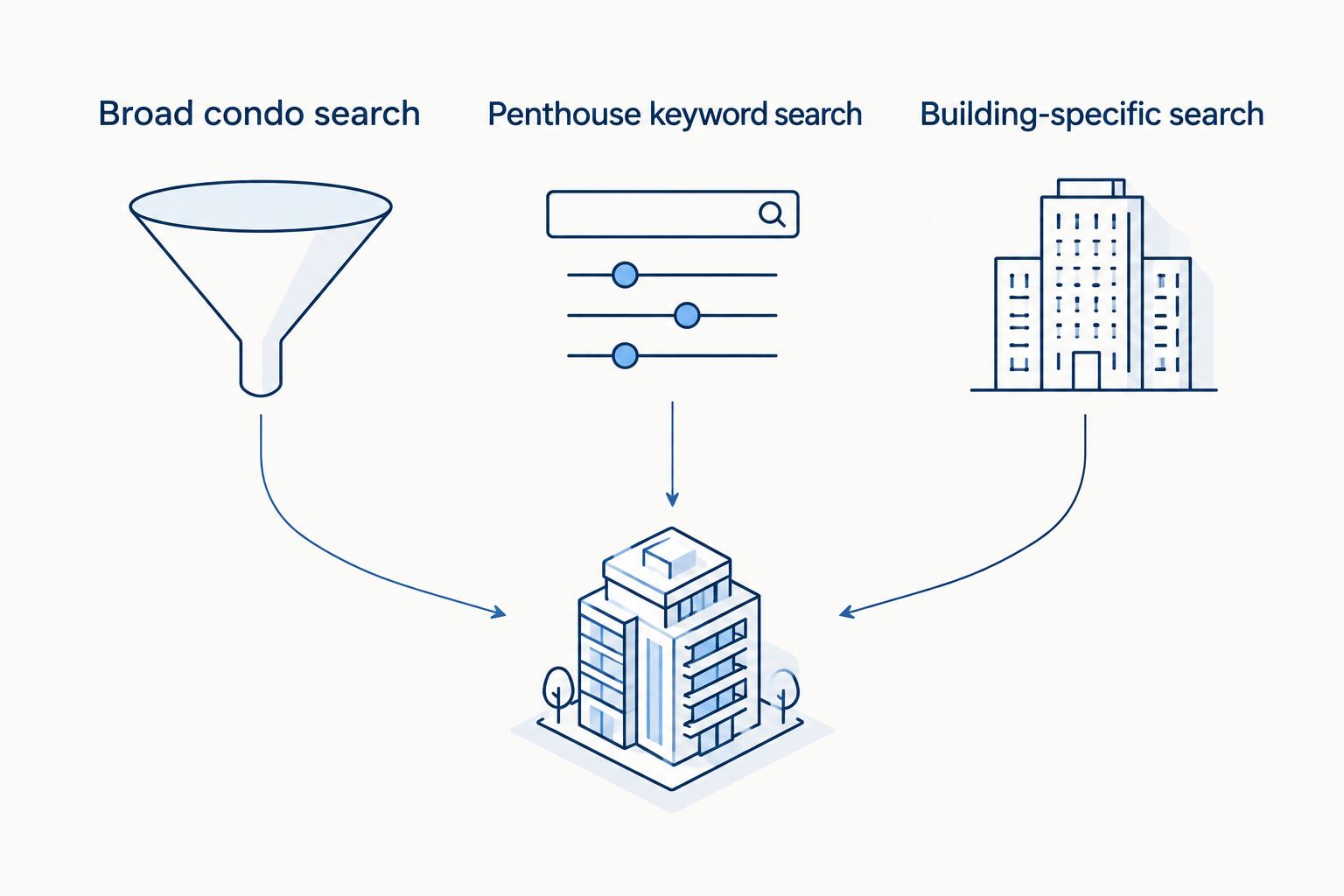
| Search approach | Best for | Advantage | Limitation |
|---|---|---|---|
| Broad condo search | Buyers who do not want wording to exclude a candidate | Captures residences without a penthouse keyword | Requires more manual screening |
| Penthouse keyword search | Buyers who want a focused review queue | Narrows results using the listing description | Misses candidates that use different wording |
| Building-specific search | Buyers with a researched building shortlist | Keeps attention on selected addresses | Excludes buildings outside the shortlist |
Use the broad and keyword searches together; add building-specific searches after research. Agent guidance adds property-level interpretation, but it does not remove the need to inspect documents or verify automated filters. Carlos Morean's role is real estate advice, not a substitute for checking how your chosen notification service works.
For a starting framework, review the Miami penthouses guide. Use it to organize your questions; confirm each candidate's details independently.
Notification delivery
Activate the supported notification settings
- Open the notification settings associated with each saved search. Confirm that the settings apply to that search rather than only to your overall account.
- Choose notifications for new matches if that event is supported. Select the fastest delivery schedule offered only when you can act on those messages; otherwise, choose a digest that suits your routine.
- Confirm the destination email address or supported device channel. Check notification permissions if you use an app.
- Decide which search deserves immediate attention. Keep the broader search on a less intrusive schedule if its results create too much noise.
Expected result: Each saved search has a deliberate delivery channel and schedule, rather than an assumed default.
For miami penthouse listing alerts in 2026, distinguish the event from the delivery method. A new matching listing is an event; email, push notification, or a digest is a delivery method. Your selected service must support both the event and the channel you want.
Do not assume instant delivery or complete market coverage. Those are provider-specific claims. Check the service's documentation and compare messages against its actual search results.
Delivery verification
Test the workflow before depending on it
- Use a test-notification function if your service provides one. Confirm that the message reaches the intended inbox or device.
- If there is no test function, verify delivery when the next qualifying event occurs. Do not treat the absence of a new matching listing as proof that notifications are broken.
- Open the saved search directly and compare its results with the notifications received. Check whether the service excludes existing matches from new-listing messages.
- Record the property address and unit identifier in your review notes. Keep a single record when the same residence appears in both saved searches.
Expected result: You know where messages arrive, what triggers them, and how to avoid reviewing the same residence twice.
For your 2026 workflow, keep a simple review record with the address, unit, source, reason for interest, and next question. A spreadsheet or notes document is enough. Do not build an elaborate automation before proving that the search produces useful candidates.
Also get alerted when a watched listing changes
A new-listing search and a property watchlist answer different questions. The search identifies candidates; the watchlist follows residences you have already reviewed.
- Follow or save an individual listing using the function your service provides.
- Enable supported update types, such as asking-price or listing-status changes. Confirm whether these settings are separate from saved-search notifications.
- Reassess the residence when an update arrives. Check the current listing details before relying on the message summary.
- Keep duplicate messages tied to the same address and unit rather than treating each update as a new property.
Expected result: New candidates enter your review queue, while changes to previously reviewed residences remain attached to their existing records.
A change notification is a reason to investigate, not evidence of improved value. Compare the property with relevant closed sales and investigate unresolved issues. A revised listing does not answer questions about assessments, maintenance obligations, or the condition of outdoor space.
Troubleshooting
No notification arrives
Check that the search was saved, notifications are enabled, and the destination is correct. Then check spam folders or device permissions. Compare the saved-search results with the event rules before changing filters: an existing match does not necessarily trigger a new-listing message.
The search returns ordinary condos
Review how the service applies keywords. A description can mention a building's penthouse amenities without describing the listed unit as a penthouse. Open the unit details and inspect the floor plan; tighten the search only after identifying the source of the irrelevant results.
A known penthouse does not appear
Inspect the search boundary, property type, bedroom minimum, and other restrictive filters. Then check whether the description uses different wording. The broad condo search is your diagnostic backstop, not merely a second inbox feed.
The same property arrives repeatedly
Compare the address and unit identifier. Overlapping searches and listing updates can produce multiple messages about one residence. Consolidate your notes before disabling a useful search, and confirm which event caused each message.
A listing says penthouse but the details are unclear
Ask for the floor plan, building position, and documentation for claimed private outdoor areas or roof rights. Do not infer exclusive use from photographs. Resolve the discrepancy before treating that feature as part of the property's value.
Customize your workflow
Once delivery works, adjust the search around your decision criteria rather than adding filters simply because they exist. A stricter keyword search reduces noise but increases the risk of excluding a suitable residence. A wider geographic boundary adds candidates but also adds review work.
Send Carlos Morean the saved-search criteria and a short list of unresolved questions. For Miami penthouse real estate advice, useful questions concern comparable sales, building documents, terrace rights, inspections, and financing—not just whether the listing looks attractive.
For a 2026 buyer brief, include intended use and holding plans. A primary residence, second home, and investment property need different reviews of association rules and financing. Do not assume a residence permits your intended rental arrangement without checking the governing documents.
Discuss your penthouse search
Share your neighborhoods, layout requirements, and questions about Miami penthouse listings.
FAQ
How do I set up Miami penthouse listing alerts?
Create a saved condo search on a service that supports notifications, then add a separate penthouse-focused search. Confirm delivery settings and test the workflow before relying on it.
What's the best way to avoid missing a Miami penthouse listing?
Use a broad condo search alongside a narrower penthouse keyword search. Review the broader results because listing descriptions do not always use the same terminology.
Can I receive alerts only for Brickell Key penthouses?
Use a Brickell Key location boundary if your selected service supports it, then check the addresses included in the results. Apply a penthouse filter or keyword only if the service offers that function.
Are penthouse listing alerts sent instantly?
Delivery timing depends on the service and the schedule it offers. Check its current notification settings and documentation rather than assuming every new match produces an immediate message.
Does a penthouse label mean I own the rooftop?
No. A listing label does not establish ownership or exclusive-use rights; verify roof and terrace rights in the relevant property and condominium documents.
Can Carlos Morean help me evaluate listings from my alerts?
Carlos Morean is a Miami real estate agent who helps buyers with luxury residential and condo properties. Bring the listing details, search criteria, and questions about layout, valuation, and building obligations for a property-specific discussion.
Can I get notifications when a listing changes?
Yes, if your selected service supports notifications for individual listing updates. Configure those separately from new-listing alerts when the service provides separate controls.
One last thing
Treat penthouse as a claim to verify, not a filter to trust. Before arranging a viewing, reconcile the unit identifier, floor plan, building position, and stated outdoor-space rights. That check turns an automated message into a useful next step—and keeps a compelling photograph from defining your purchase criteria.